Zhina Get the app

Nearby, made simple.

Everything you need, within a few kilometres.

Skilled people, local shops, work, jobs and places to rent — right around you. Check a real profile first, then talk to them directly.

You
  • Plumber0.6 km
  • Tiffin centre0.9 km
  • Maths tutor1.4 km
  • 2BHK for rent2.8 km
  • Electrician job3.6 km
  • Wedding photographer4.2 km
Illustration

What's on Zhina

One app.
Five ways to use your neighbourhood.

  1. 01

    Services

    Plumbers, electricians, tutors, mechanics and many more. See their skills, work photos and reviews, then call or chat.

    For when something needs fixing, teaching or making.

  2. 02

    Shops & offers

    The shops on your street, with photos, timings and the offers they post — before you walk over.

    For knowing what's open, and what's on.
  3. 03

    Work requests

    Post what you need — "2 plumbers, 1 electrician, this weekend". People nearby send interest; you compare and choose.

    For jobs at home, at a site, at a shop.

  4. 04

    Jobs

    Full-time, part-time and internships from local businesses. Apply with your Zhina profile in one tap.

    For your next role, close to home.

  5. 05

    Rentals

    Rooms, 2BHKs, hostels and PGs, shops — and cars and bikes by the day. Photos, rent and deposit up front.

    For a place to stay, or a ride for the week.

The directory

Who's around.

86 kinds of work in 12 groups — the same list you browse in the app.

Inside the app

This is Zhina.

Real screens from the app, shown with a made-up demo profile.
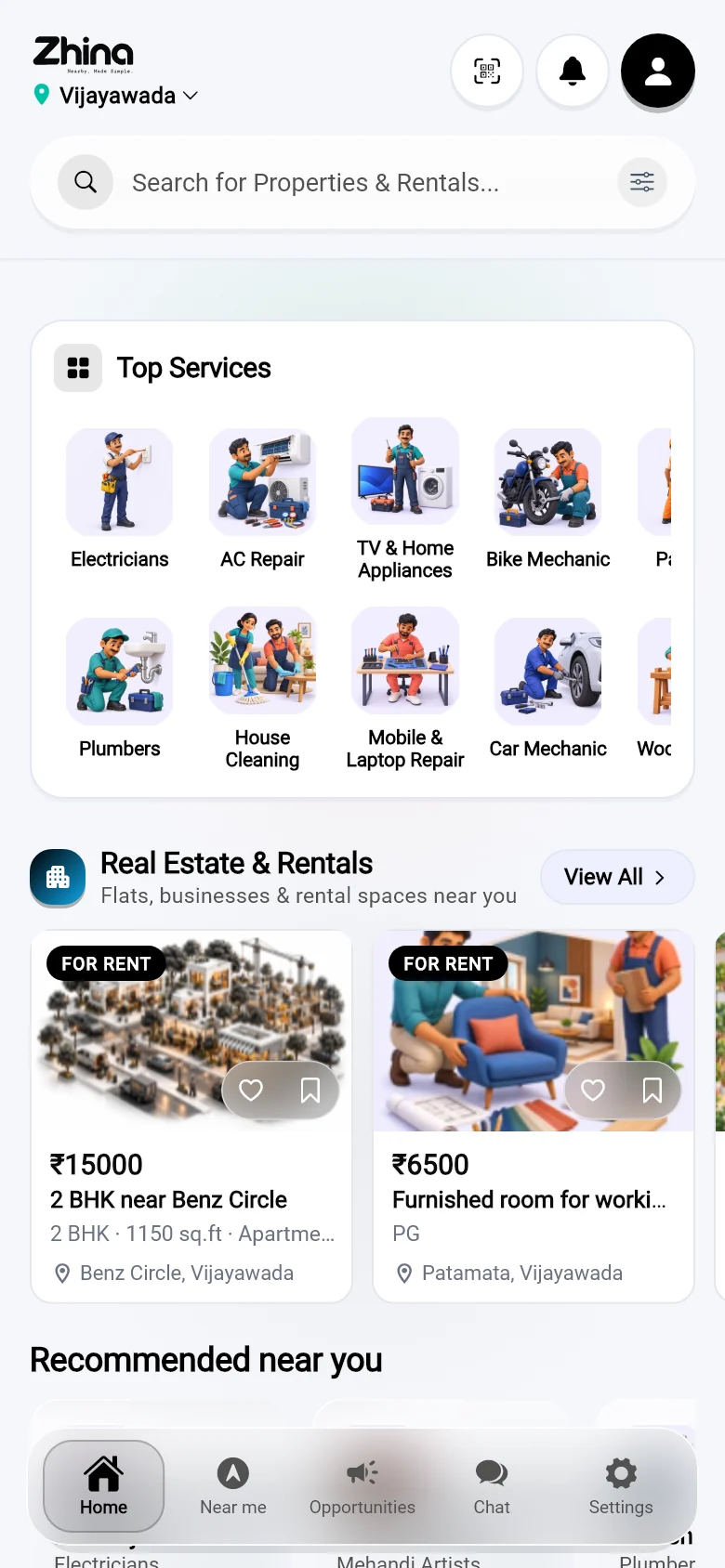
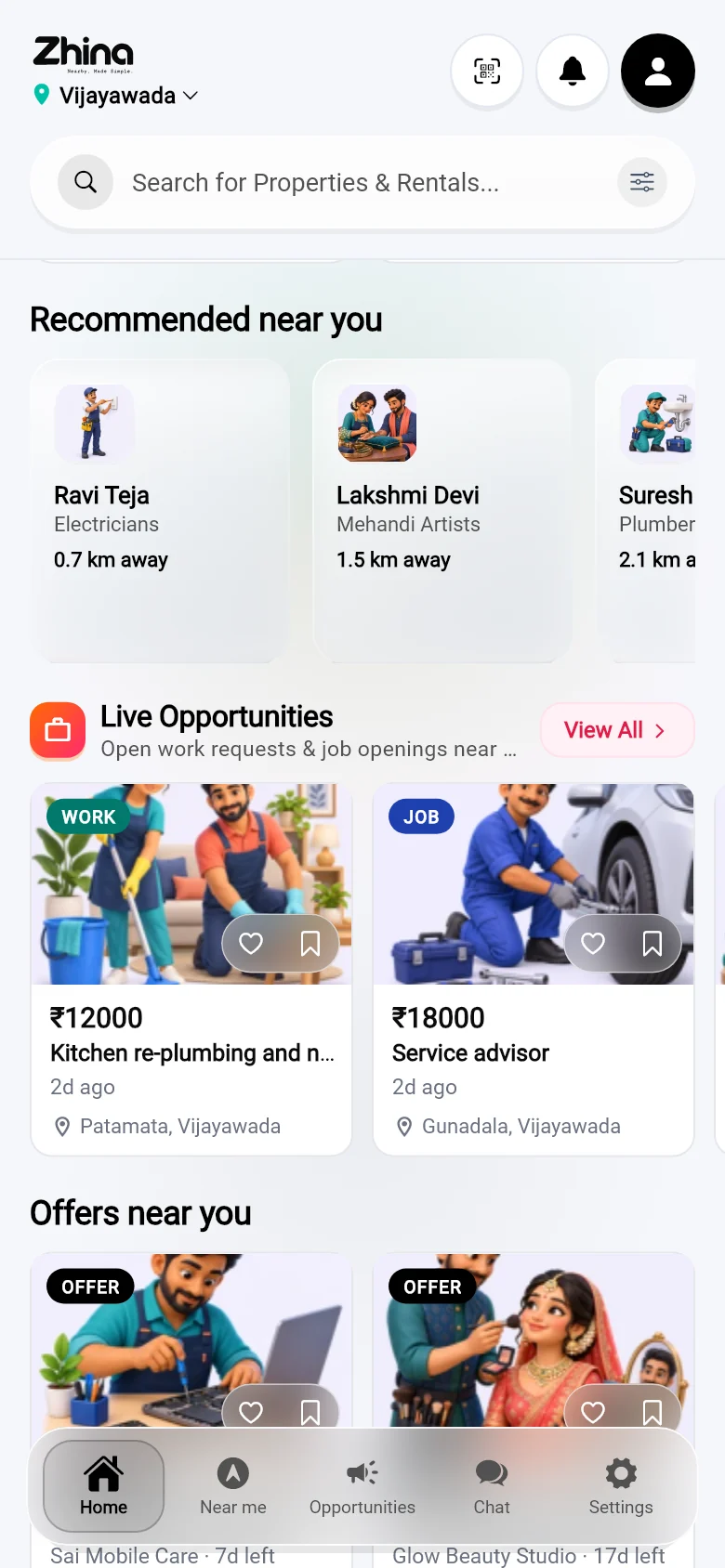
Zhina Home: your area, search, and top services
HomeYour area, one search, and the top services around you.
Home, further down: real estate and rentals, people recommended near you, live work and jobs
Rentals, people, workPlaces to rent, people near you, live work requests and jobs.
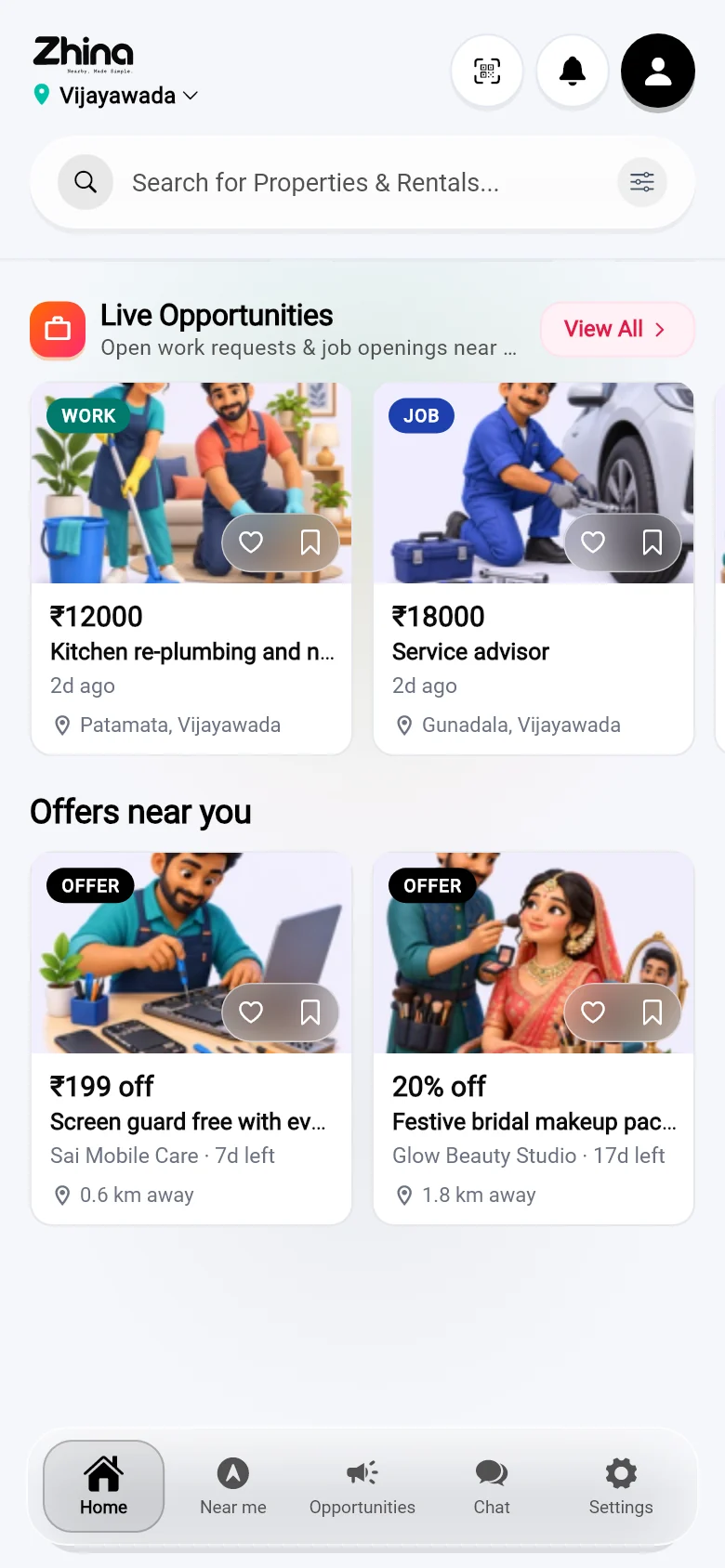
Home: offers near you from local shops
Offers near youWhat the shops around you are offering this week.
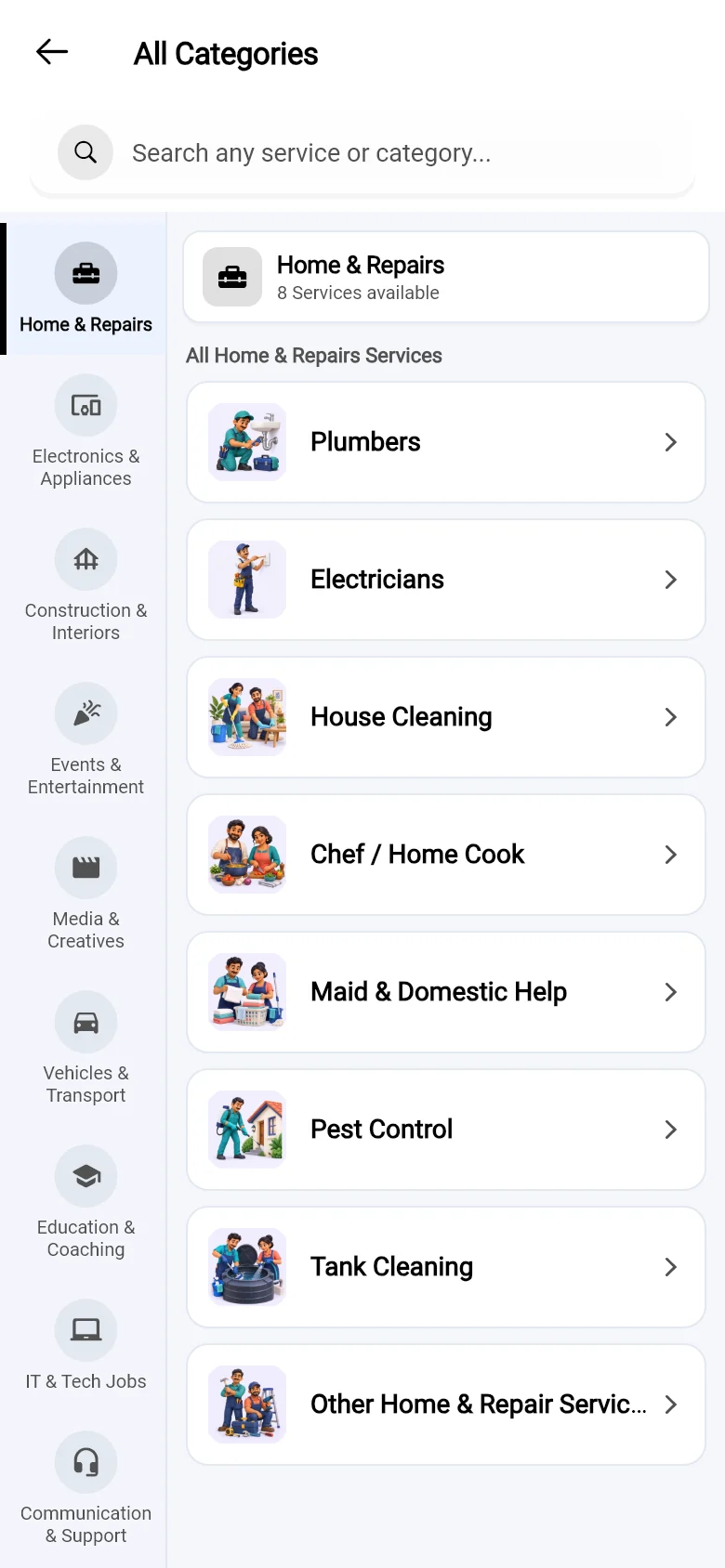
All categories, grouped
All categoriesEvery trade, grouped the way you think of them.
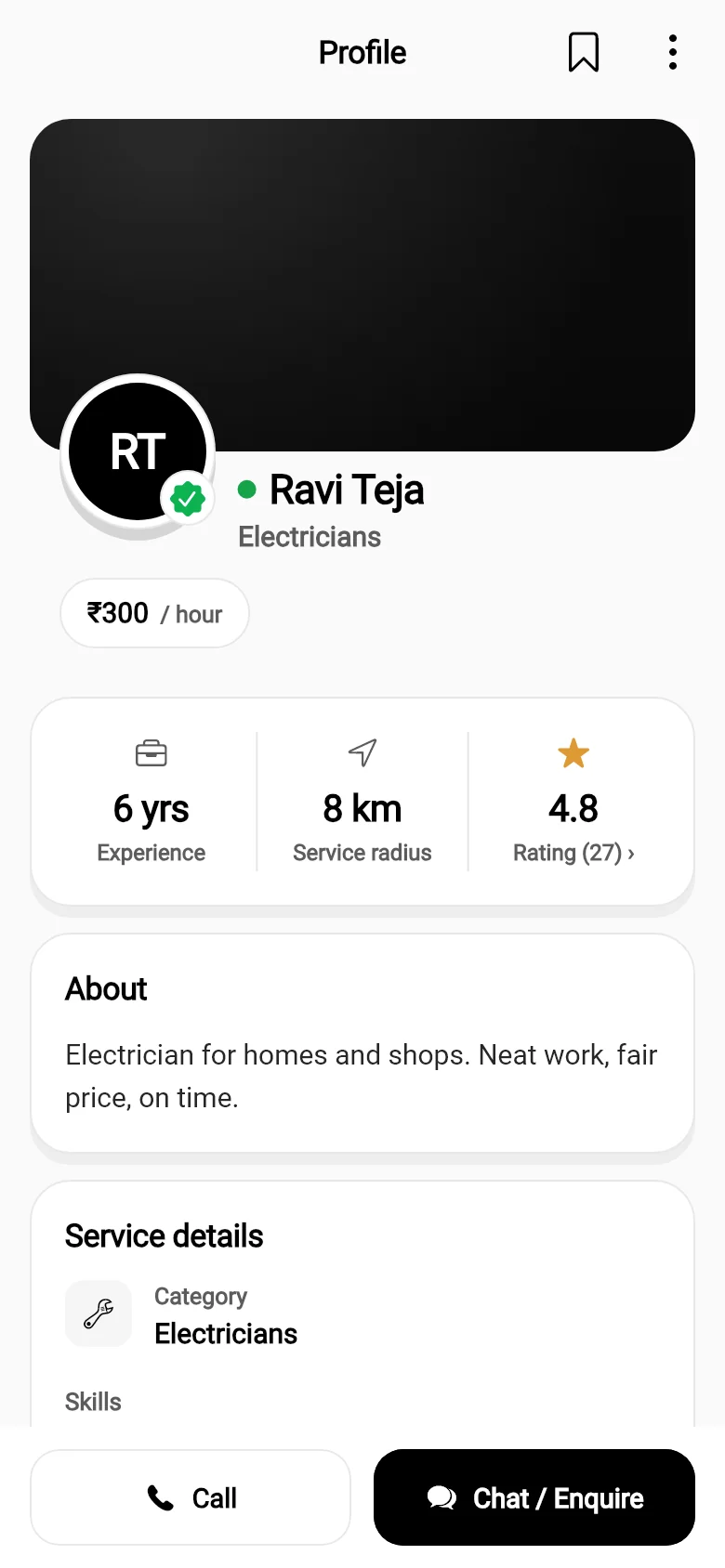
A provider's profile with experience, radius, rating and skills
ProfilesExperience, area covered, rating and skills — then call or chat.
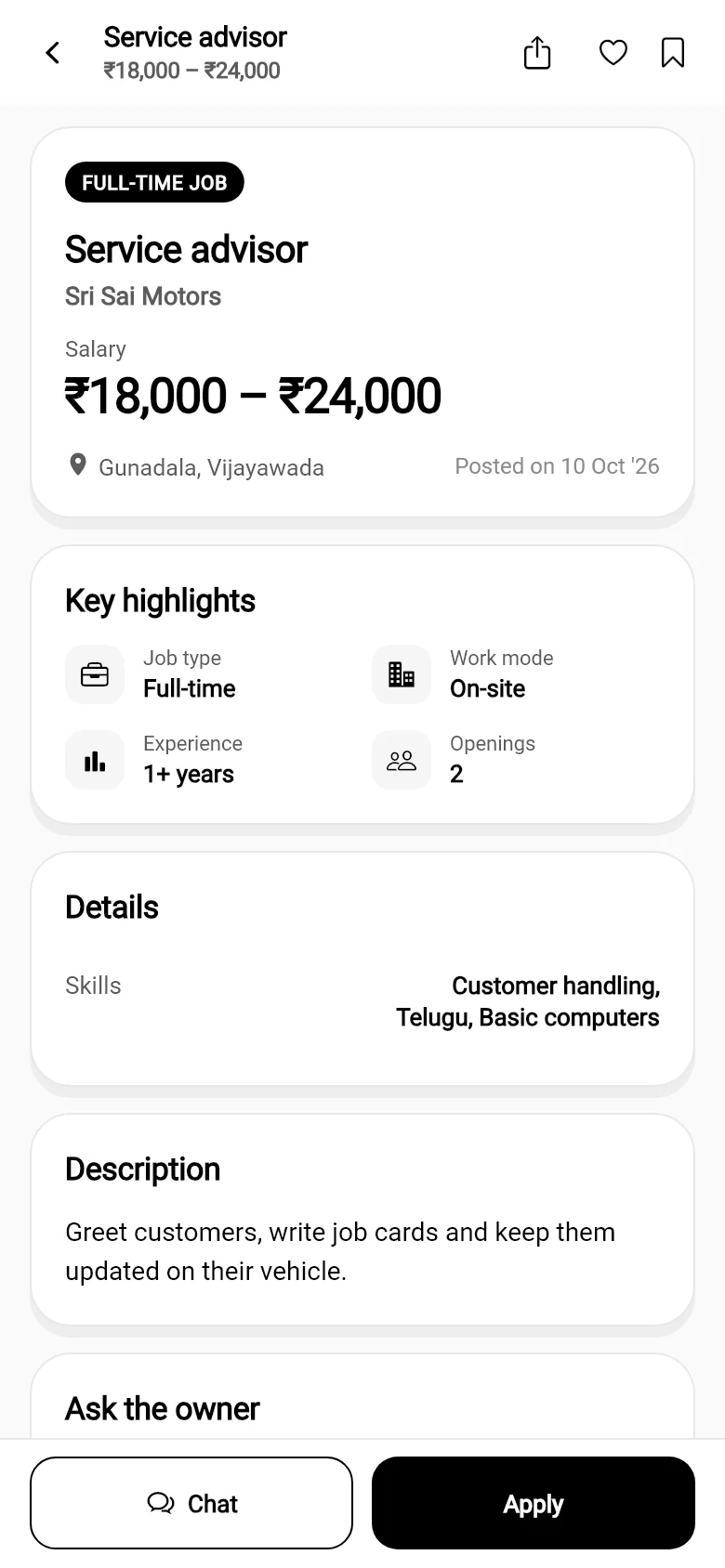
A job post with salary, key highlights and Apply
JobsSalary up front, key details, ask the owner, apply in a tap.
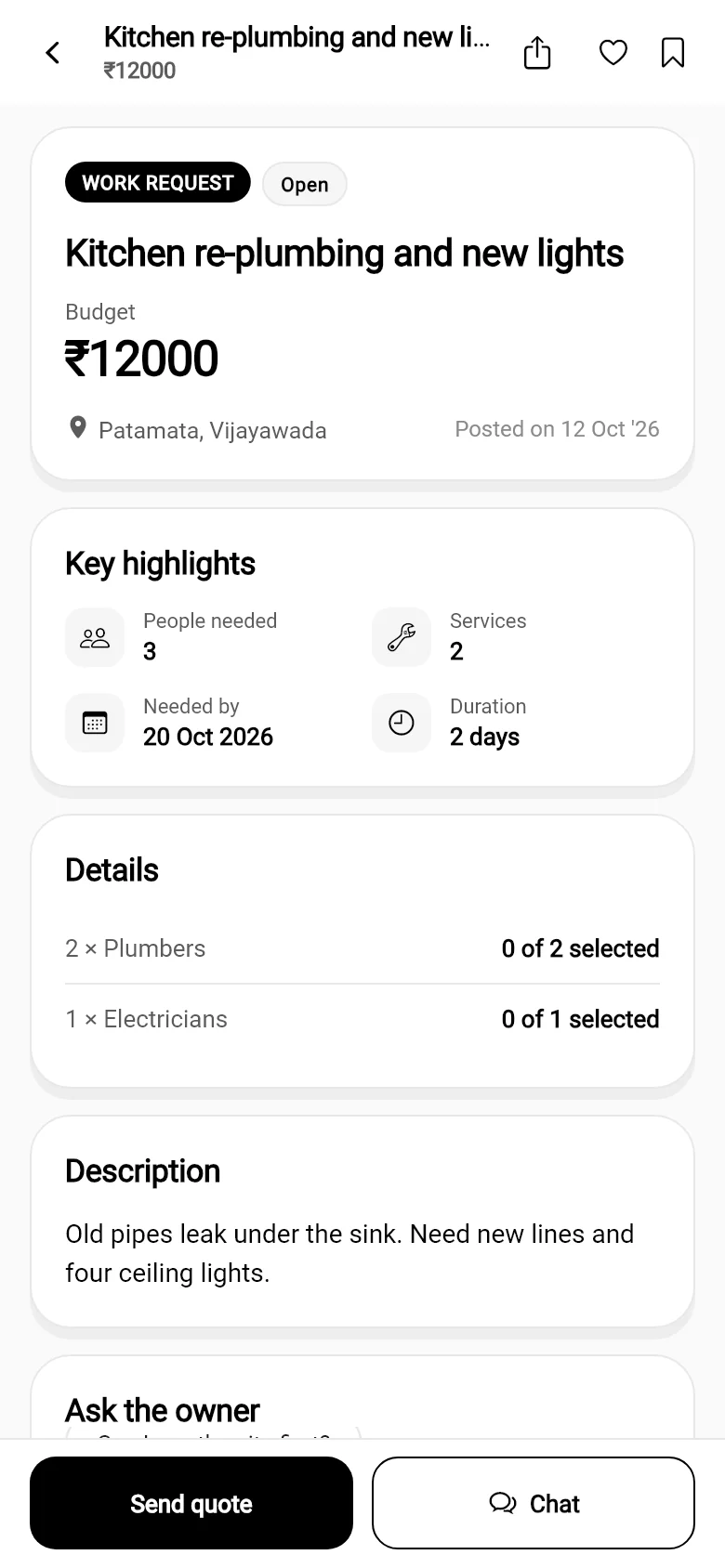
A work request with budget and people needed
Work requestsBudget, people needed, and providers send a quote.
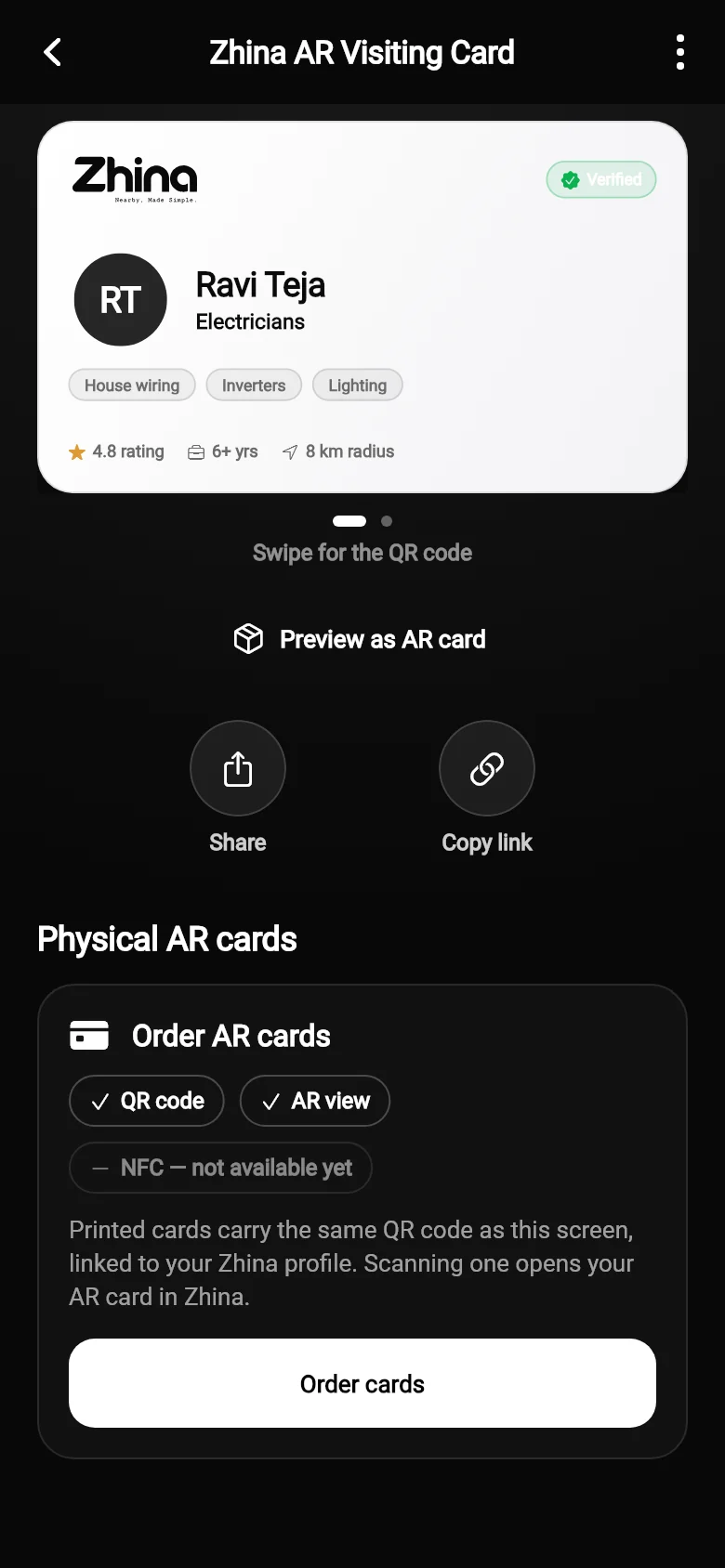
Your Zhina AR visiting card screen
Your AR cardShare it, copy the link, preview it in AR, order printed cards.

Zhina AR visiting card

A visiting card that stands up and talks.

Every verified profile gets a visiting card with its own QR. Hand it over, print it, or show it on your phone. When someone scans it with Zhina, your profile rises off the card in AR — and it stays with them even after the paper is gone.
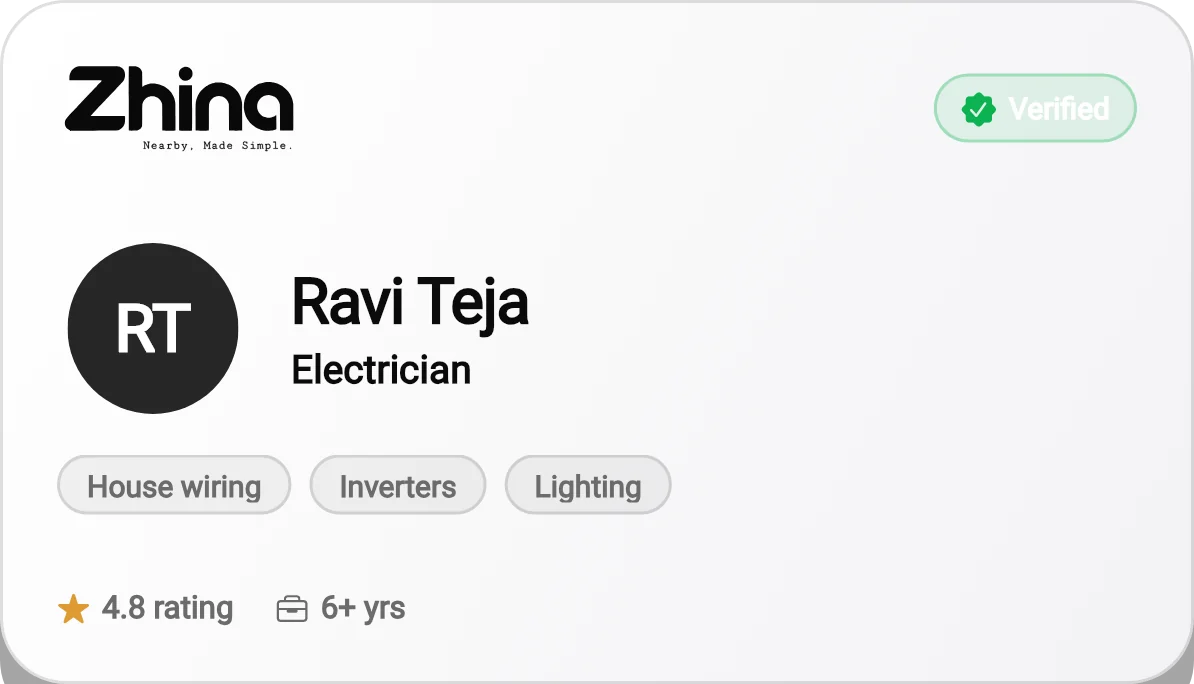
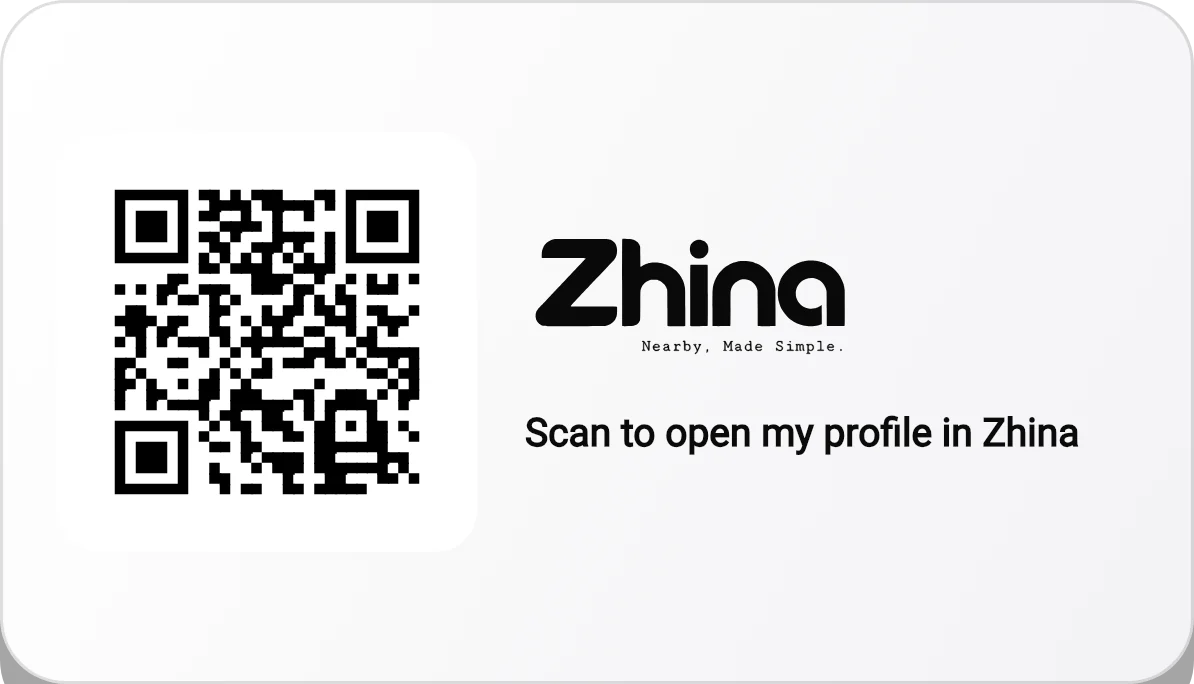
Front of a Zhina visiting card: photo, name, profession, verified badge, skills, rating and experience Back of the card: the QR code and 'Scan to open my profile in Zhina'

The real card, drawn by the app · demo profile

  1. 01

    Get verified

    Verify your profile and add a photo. Your card switches on — front with your skills, back with your QR.

  2. 02

    Share or print

    Share it as a two-page PDF at real card size, copy your link, or order printed cards with the same QR.

  3. 03

    They scan

    The Zhina scanner reads the QR and opens the AR view in the same camera — no second scan, no waiting.

  4. 04

    You appear

    Your photo, skills and work stand up off the card, with buttons to call, chat, share or save you.
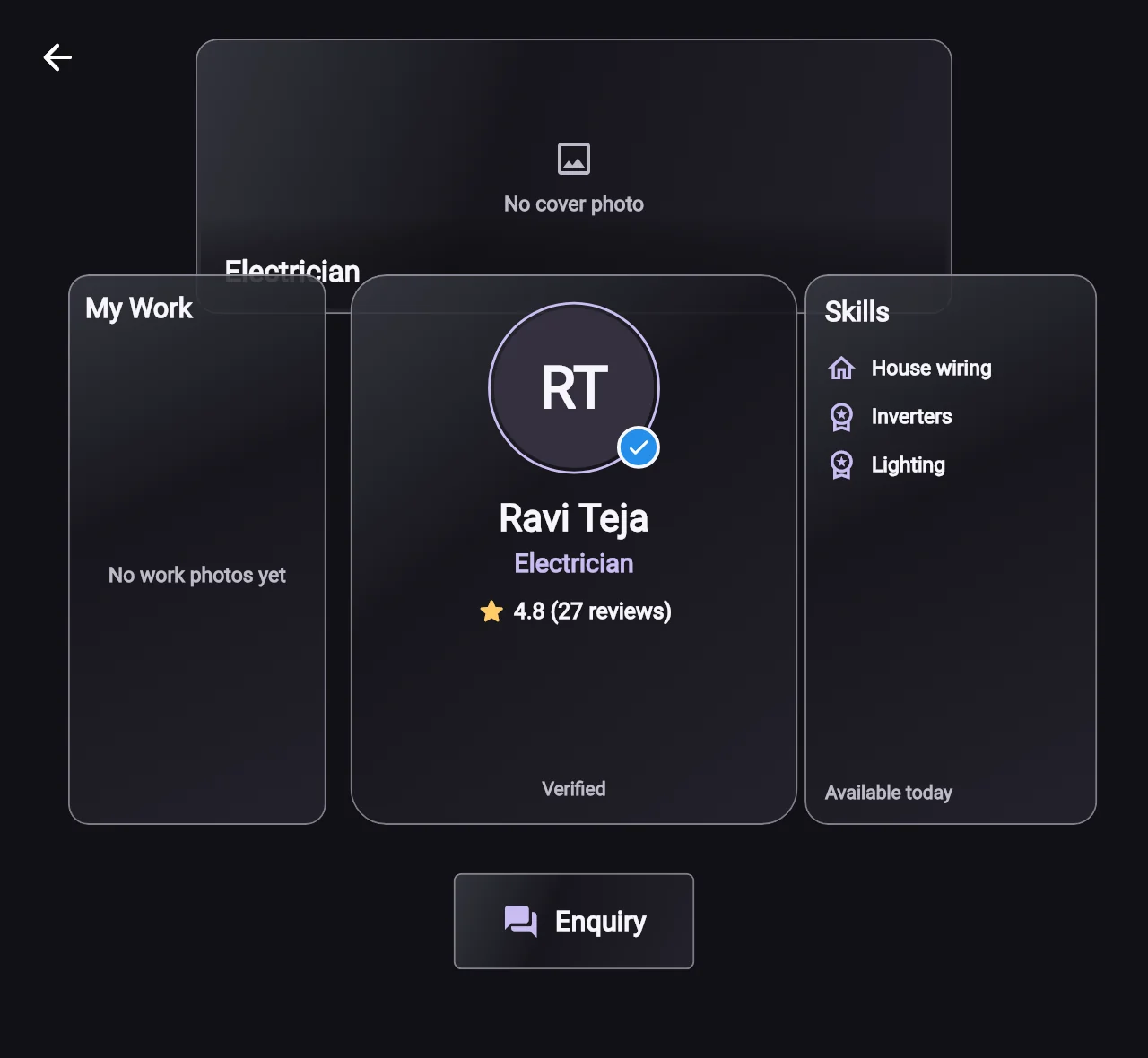
The AR view: profile panel in the middle, work photos on the left, skills on the right, and an Enquiry button
"Preview as AR card" in the app — the same panels a scan stands up on the card.
  • Follows the card in your handTilt it, turn it, move it — the profile stays on the card, not stuck in the air.
  • More up closeFrom across a room you see the card; bring it closer and the skills, work and buttons appear.
  • Save contactOne tap keeps the person in My Contacts — with a note and tags — and can add them to your phone.
  • Your colour, everywhereThe AR view is painted in the same colour as your card.
  • Works from a screen tooNo printed card yet? Show the QR on your phone; it opens the same AR card.
  • Your number stays yoursIt shows only to signed-in people, and only if you allow it.
  • See it workingYour card shows its save count, never who saved it.

How it works

Three stops. No middleman.

1

Search or post

Pick your area and look around — or post what you need and let the right people come to you.

2

Check the profile

Skills, work photos, verification and reviews from people who actually hired them.

3

Talk directly

Chat or call from the app and agree the details yourselves. Zhina doesn't stand in between.

Know who you're dealing with

Badges that mean something.

Every badge says in words what was checked — never just a colour.

Phone Verified

Phone confirmed by OTP, a real name and a profile photo.

Identity Verified

The Zhina team reviewed the documents this person submitted.

Reviews that were earned

Ratings come from people who completed work with them through Zhina.

No badge guarantees the quality of anyone's work. Read the profile, agree the details and pay only for what you've agreed.

For the people who do the work
Good at something?
Let your street find you.

A free profileSkills, work photos, prices and the area you cover.
Work comes to youGet told when someone nearby posts a job in your trade.
Your own AR cardA printable visiting card people can scan and save.
Shops can post offersTell the neighbourhood what's new this week.
Create your profile
Zhina

Nearby, Made Simple.

Coming soon to Android and iPhone.

We'll put the official store links here the day the app is published — nowhere else.

Open the app to see the people near you. This page doesn't show live availability or prices.

When can I get the app?